Get Started
1. Obtain LiveKit Credentials
Avaluma avatars are provided as a plugin for the LiveKit Agent Framework. Any LiveKit Agent Worker needs to be connected to a LiveKit server, which manages all connections, rooms and participants. The LiveKit server can be self-hosted or used as a cloud service from LiveKit Cloud.
For any further steps the following credentials are necessary for the agent worker to connect to a LiveKit server:
LiveKit Credentials:
LIVEKIT_URL=<YOUR_LIVEKIT_URL>
LIVEKIT_API_KEY=<YOUR_LIVEKIT_API_KEY>
LIVEKIT_API_SECRET=<YOUR_LIVEKIT_API_SECRET>
Follow our LiveKit Server Setup Guide to get started with LiveKit Server or the official LiveKit Documentation.
2. Set Up GPU-Instance
Since the avatar requires GPU computing power, the following requirements apply to the host system:
- GPU instance with CUDA 12, OpenGL support and NVIDIA drivers (including graphic drivers) with at least 6GB of VRAM (each Avatar needs about 2.5GB VRAM. We tested on Ampere, Ada Lovelace and Blackwell architecture)
- NVIDIA driver installed (including graphics driver!)
- Docker with NVIDIA Container Toolkit
For easy agent deployment, we provide a Docker image that contains all the necessary components. This image can be run directly on a host system or used in a container orchestration system such as Kubernetes, provided that the host system requirements are met.
3. Assemble the Avatar Agent
To start the LiveKit Agent Worker with the avatar, you must first determine whether to use a LiveKit agent or an external agent that does not run in LiveKit. This would be the case, for example, if you already have an agent and do not use LiveKit for it. We have provided examples for both variants.
Agent Examples:
4. Testing the Avatar Agent
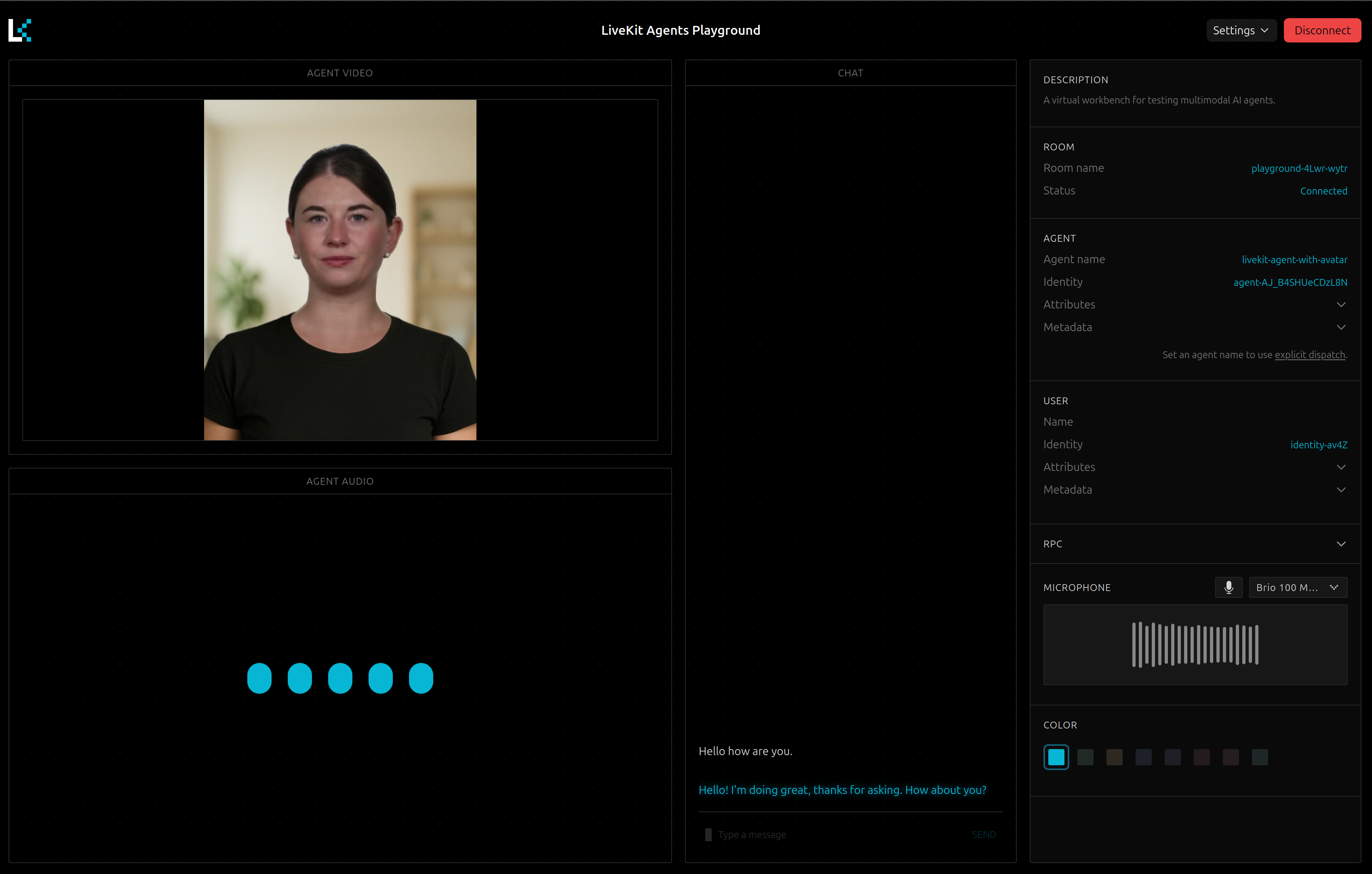
Any Avatar Agent can be tested in the LiveKit Playground. See Agent Examples sites for further information:
5. Integrate the Avatar Agent in your Application
In order to integrate the Avatar Agent into your application, you can use the LiveKit Agent frontend. It provides web & mobile frontends for the Avatar Agent.
If your agent is started with an agent_name!="" the agent_name has to be set in the RoomConfiguration under agents. For more information, see the LiveKit Agent Dispatchdocumentation.